Design photonic circuits and watch the light.

Shine is a simulator for optical circuits, from beam splitters on a bench to waveguide networks on a chip. It solves interference, resonances and feedback loops exactly, lets you turn any design into a reusable component, and runs right here in your browser.

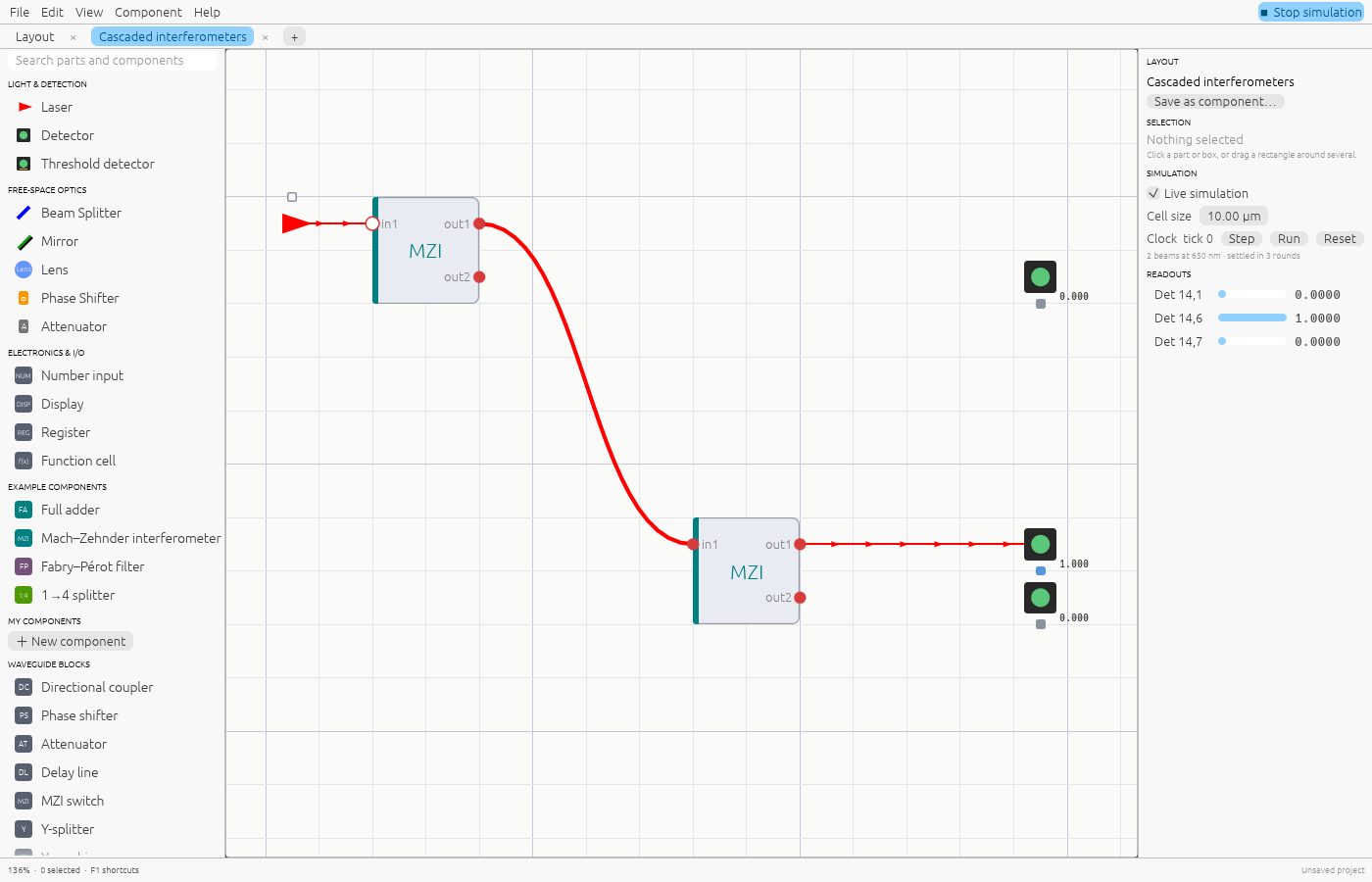
Shine editor showing a laser feeding two instances of a free-space Mach–Zehnder component, with detector readings.

From a bench to a chip

Two editors share one simulator. Lay out free-space optics on a grid, or wire blocks together with waveguides. Every result updates as you edit.

Free-space layouts

Place lasers, mirrors, beam splitters, phase shifters and detectors on a grid. Beams pick up phase over distance, so interference and cavity resonances come out right, not approximated by a fixed number of bounces.

Open the Mach–Zehnder layout →
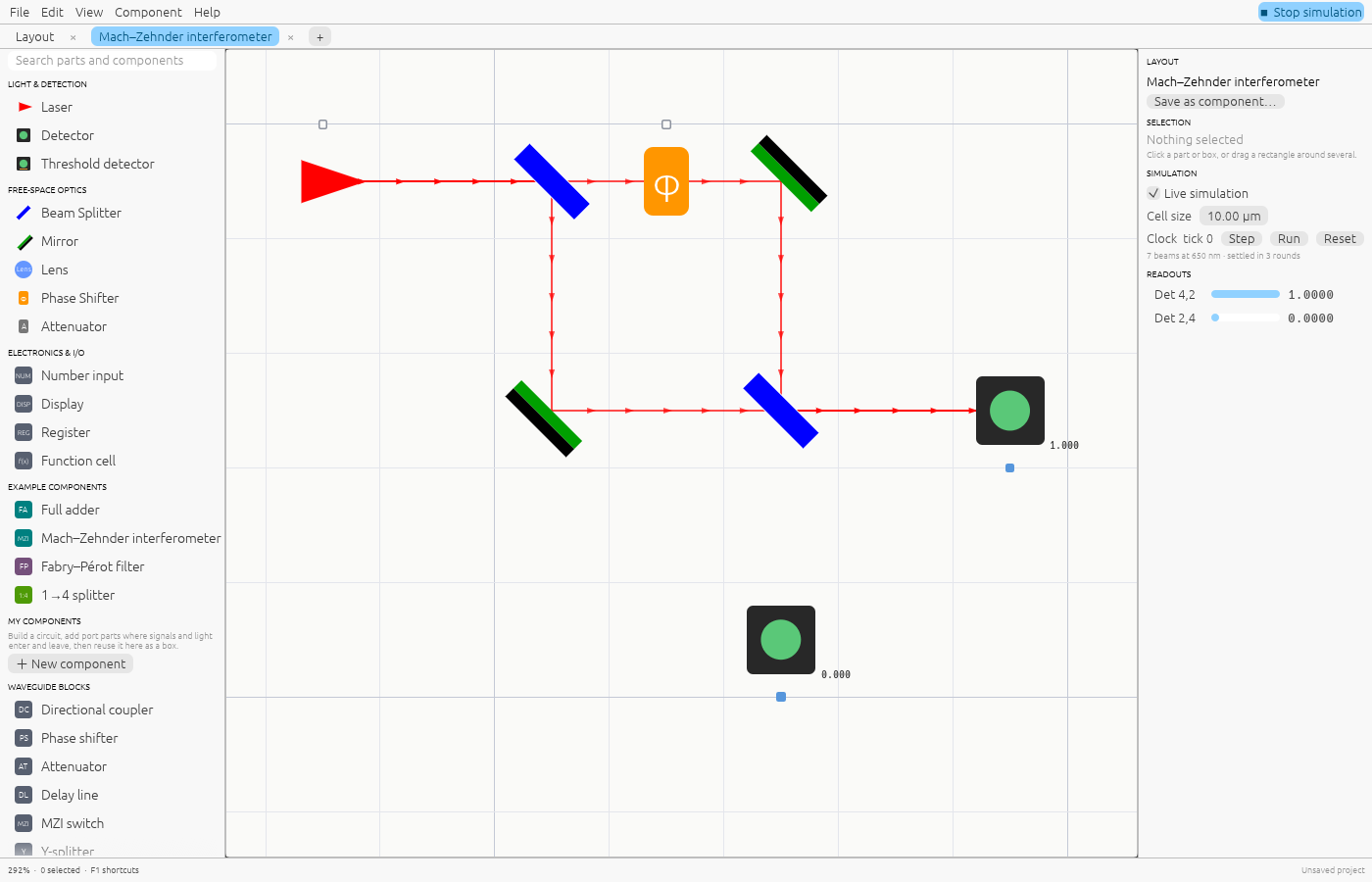
Free-space Mach–Zehnder interferometer with coloured beams and detector readings.

Reusable components

Save any layout or schematic as a component with a name, initials and description. It becomes a box with ports you can drop anywhere and connect with waveguides.

  • Hover a box to read its description.
  • Press Tab to open its definition in its own tab.
  • Edits there update every place it is used.
Open the component example →
The free-space Mach–Zehnder component opened in its own tab, with input and output port parts.

Computing with light

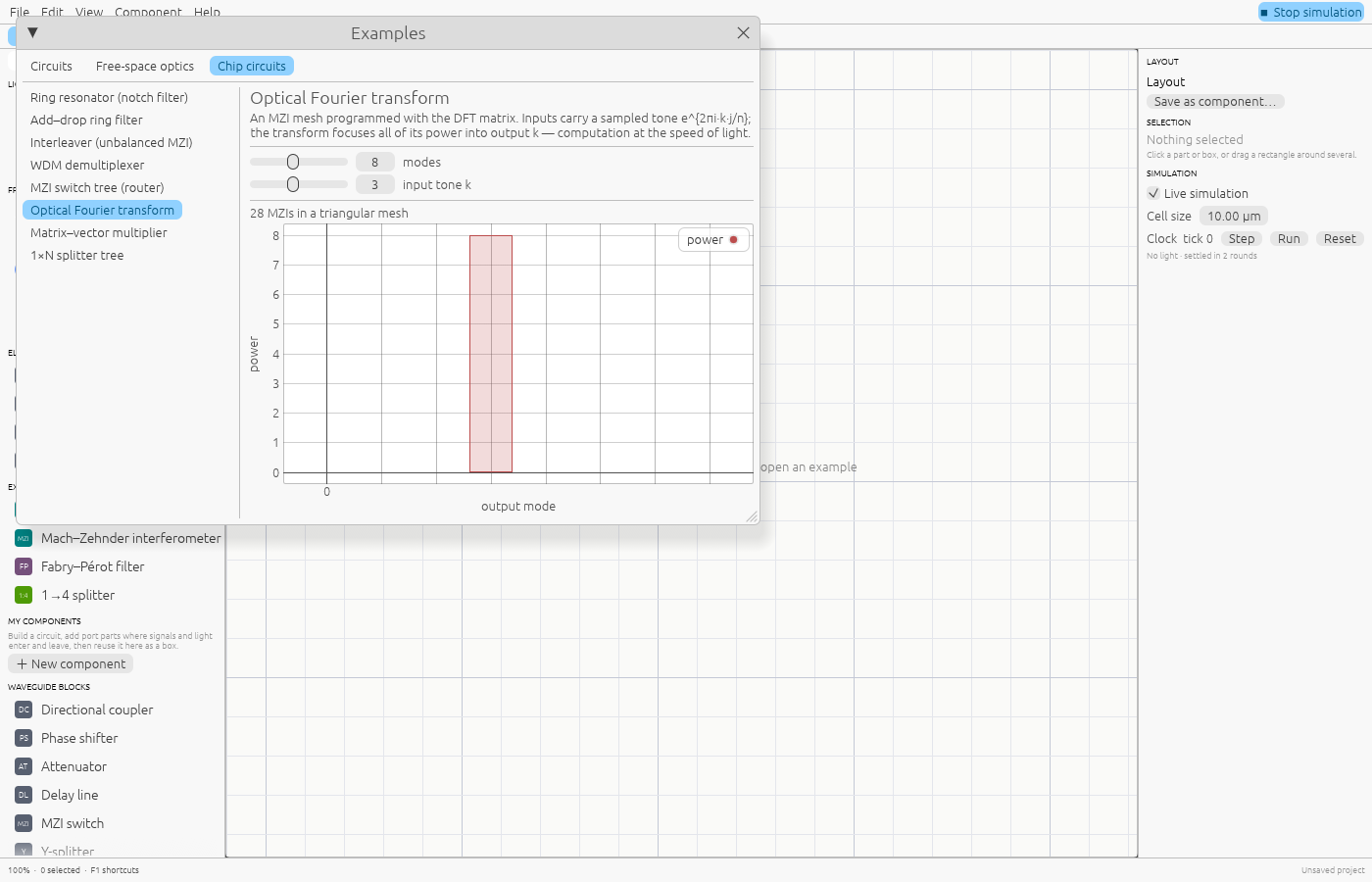
Meshes of Mach–Zehnder interferometers perform linear algebra as light passes through. Shine programs them for you: a Fourier transform, a switch tree, or any matrix through its singular value decomposition.

Open the optical DFT →
Four lasers carrying a sampled tone into an optical DFT block; one detector lights up.

Filters and wavelengths

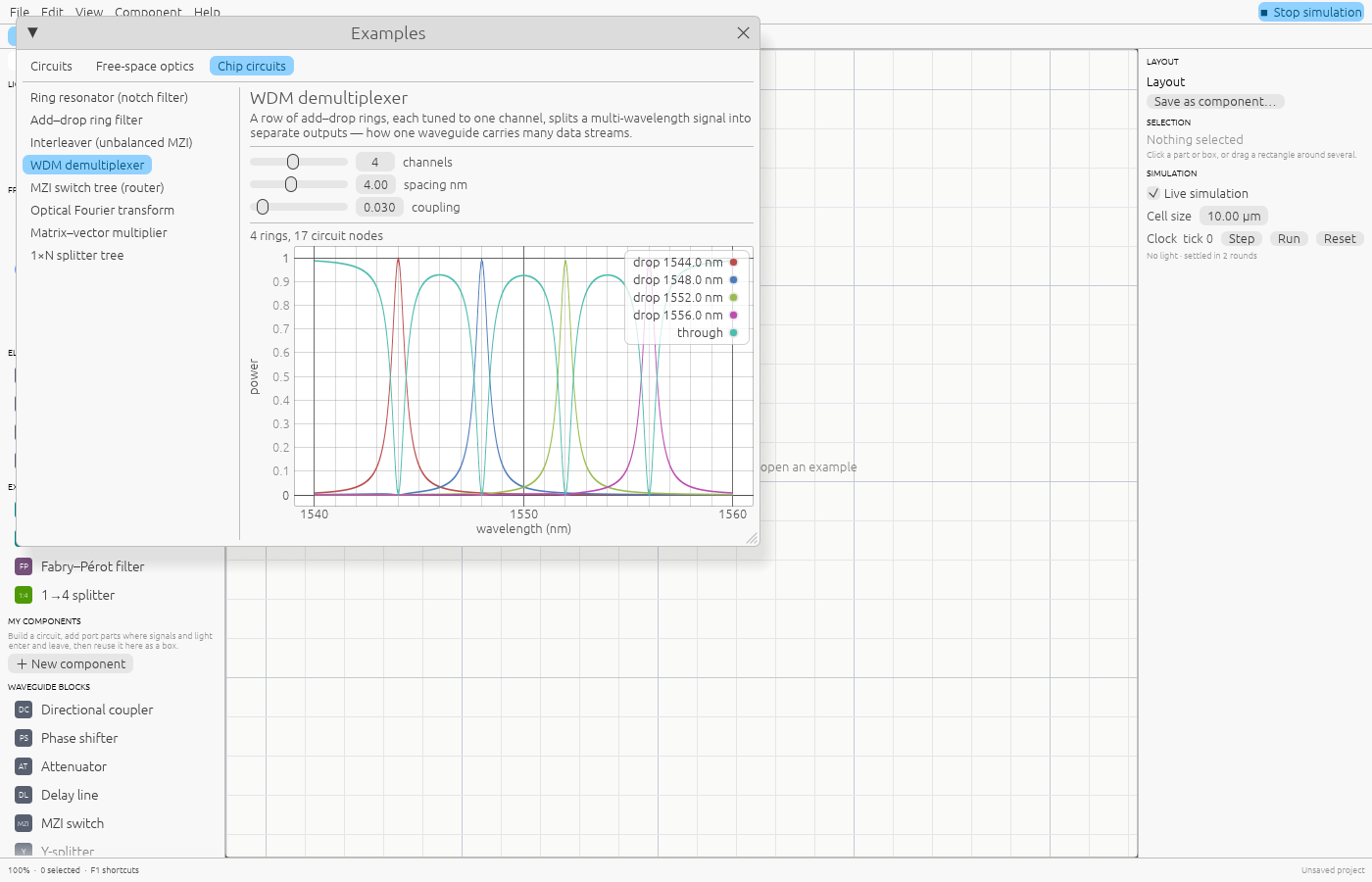
Rings, interleavers and add–drop filters respond to wavelength. Several lasers can share a waveguide, and each colour is solved on its own. Sweep a design to see its spectrum, like this four-channel demultiplexer.

Open the add–drop filter → ·See the WDM spectrum →
Spectrum of a four-channel ring demultiplexer: each drop port peaks at its own wavelength.

Feels like Blender

Navigation and editing follow Blender's conventions, so the keys you already know work. Press F1 in the app for the full list.

  • PanMiddle drag
  • Zoom at cursorWheel / pinch
  • Move, locked to an axisG, then X / Y
  • DuplicateShift D
  • Add menuShift A
  • Open a componentTab
  • Run / stop simulationSpace
  • UndoCtrl Z

A library, not just an app

The simulator is a Rust crate you can use on its own. Circuits compile per wavelength into a flat program: straight-through parts become SIMD multiply-adds over whole batches of inputs, and feedback loops get an LU factorisation computed once.

Exact

Steady state solved as a linear system; loops and resonances need no iteration limit.

Fast

Batched SIMD kernels with runtime CPU dispatch; wavelength sweeps run in parallel.

Composable

Rings, meshes, switch trees and WDM demultiplexers are blocks you can nest.

Compact files

Projects save in a binary .shine format, about five times smaller than JSON.

use shine::photonics::*;

let mut c = Circuit::new();
let laser = c.add(Laser::new(1.0, 1550.0));
let split = c.add(DirectionalCoupler::balanced());
let heat  = c.add(PhaseShifter::new(std::f64::consts::PI));
let join  = c.add(DirectionalCoupler::balanced());
let pd    = c.add(Detector::new());
c.connect(laser.output(0), split.input(0))?;
c.connect(split.output(0), heat.input(0))?;
c.connect(heat.output(0), join.input(0))?;
c.connect(split.output(1), join.input(1))?;
c.connect(join.output(0), pd.input(0))?;

let power = c.simulate(1550.0, &[])?.detected_power(pd); // 1.0

Usable by AI assistants

shine-mcp is a Model Context Protocol server. Assistants can list the building blocks, simulate circuits and sweep spectra, program MZI meshes for a matrix, and save a circuit as a project you open and refine in the editor.

{
  "mcpServers": {
    "shine": { "command": "shine-mcp" }
  }
}