From a bench to a chip

One grid holds everything: free-space parts, component boxes, waveguides between them, and signal wires for the electronics. Every result updates as you edit.

What photonic chips do today

Data centres move data between servers on light. A silicon-photonic transceiver puts several wavelengths on one waveguide, each carrying its own bit stream. In Shine's version, four bits switch lasers at 1530–1560 nm, ring resonators add each colour to a shared waveguide, and matching rings at the receiver drop each one onto a detector that turns it back into a bit.

  • Click the input bits and watch them arrive.
  • Detune a receiver ring and its channel disappears.
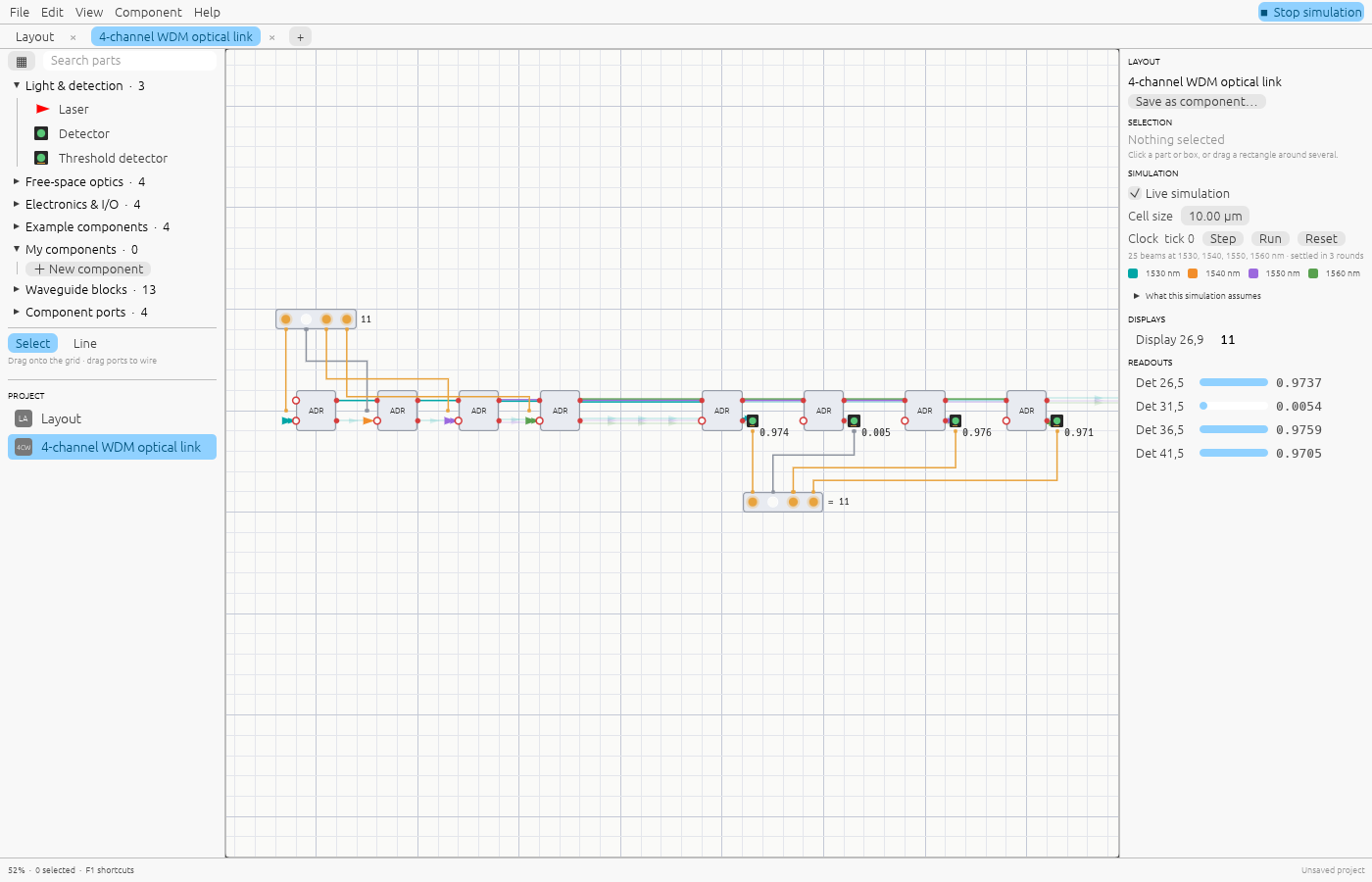
Open the WDM link →
A four-channel WDM link: four lasers switched by the bits of 11 are added to one waveguide by ring resonators, and four receiver rings drop them onto detectors; the display shows 11.

Logic with light, as a teaching model

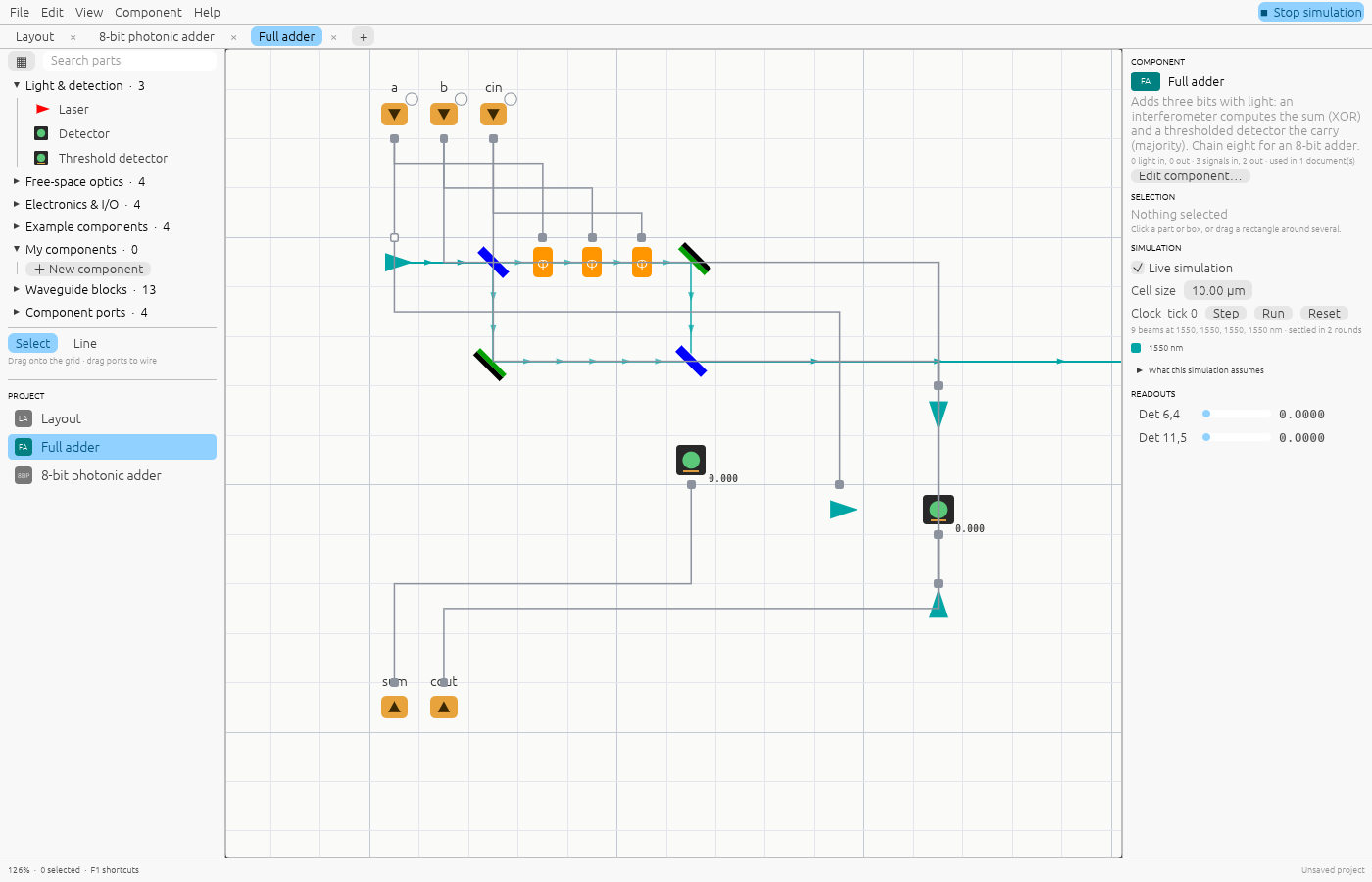
A full adder built from parts you can inspect: input bits drive phase shifters in an interferometer whose interference gives the sum, and a thresholded detector gives the carry. Eight of them make an 8-bit adder. It shows how light and electronics hand off, not how arithmetic is done in practice: research chips keep the carry in light, and photonics earns its place in links and linear algebra.

  • Click a bit of either number and watch the result change.
  • Press Tab on a full adder to open its optics.
Open the full adder →
The full-adder component: input pins drive phase shifters in a free-space interferometer and three lasers aimed at a threshold detector.

Memory and a clock

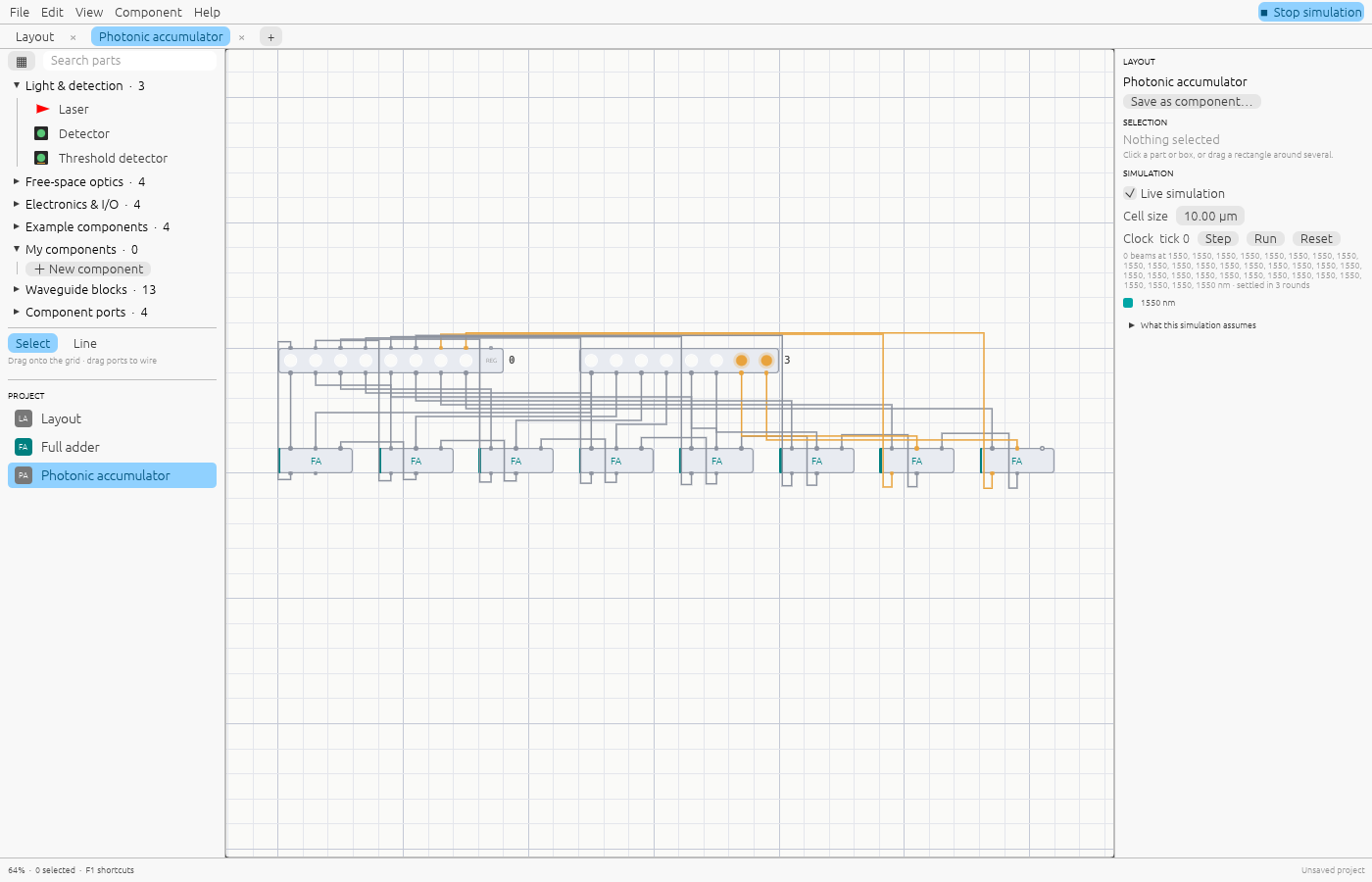
Registers store their inputs on each clock tick, number inputs and displays connect a circuit to the outside, and function cells compute anything you can write as an expression over signals and received light. Feed an adder's result back into a register and it counts.

Open the accumulator →
A photonic accumulator: a register's outputs feed eight full adders whose sums feed back into the register.

Free-space layouts

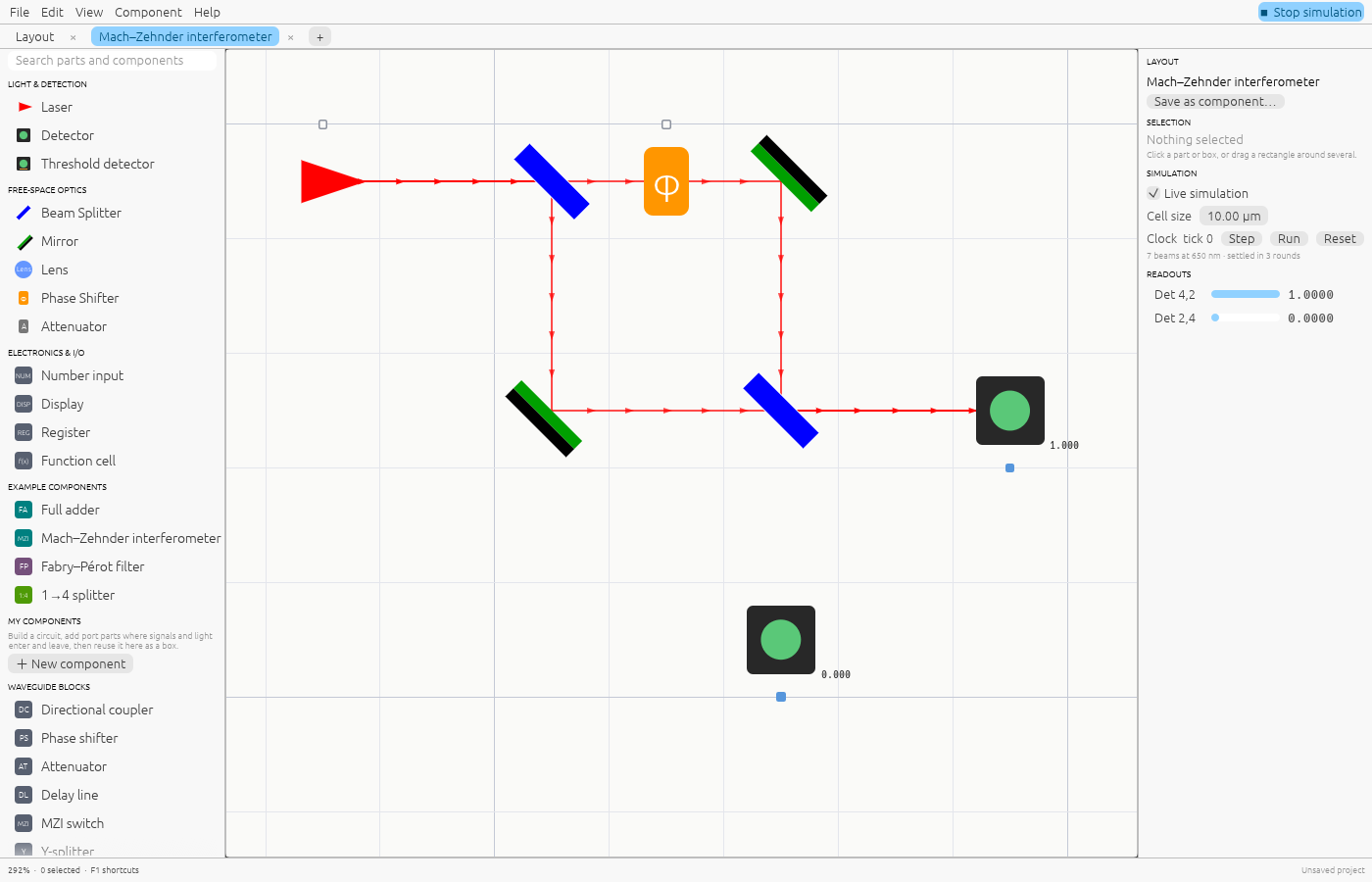
Place lasers, mirrors, beam splitters, phase shifters and detectors on a grid. Beams pick up phase over distance, so interference and cavity resonances come out right, not approximated by a fixed number of bounces.

Open the Mach–Zehnder layout →
Free-space Mach–Zehnder interferometer with coloured beams and detector readings.

Reusable components

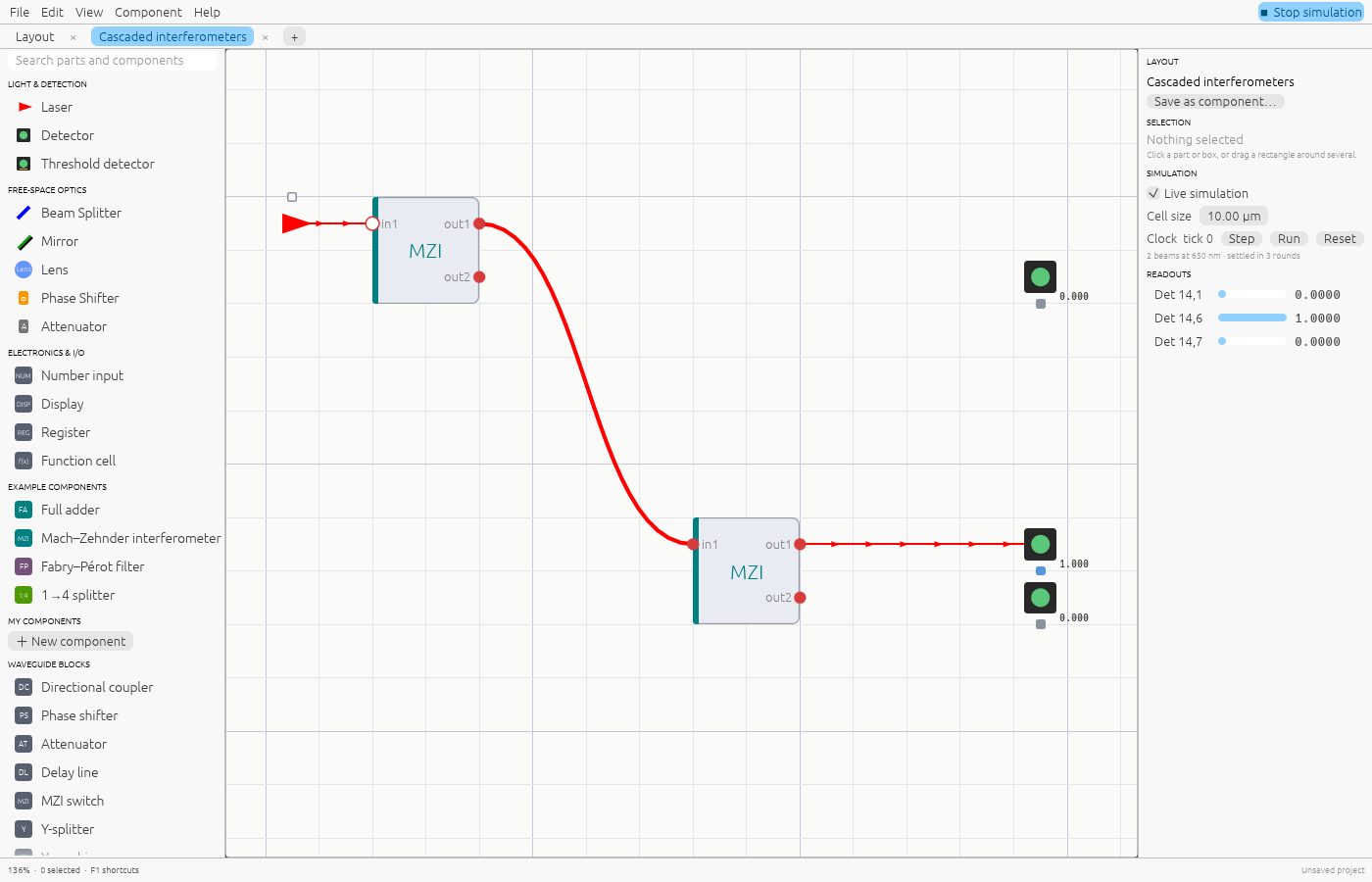
Save any layout as a component with a name, initials and description. It becomes a box: light ports on its sides, signal terminals on top and bottom. Drop it anywhere and wire it up.

  • Hover a box to read its description.
  • Press Tab to open its definition in its own tab.
  • Edits there update every place it is used.
Open the component example →
A free-space Mach–Zehnder saved as a component and used twice: a beam enters the first box and a waveguide joins it to the second.

Computing with light

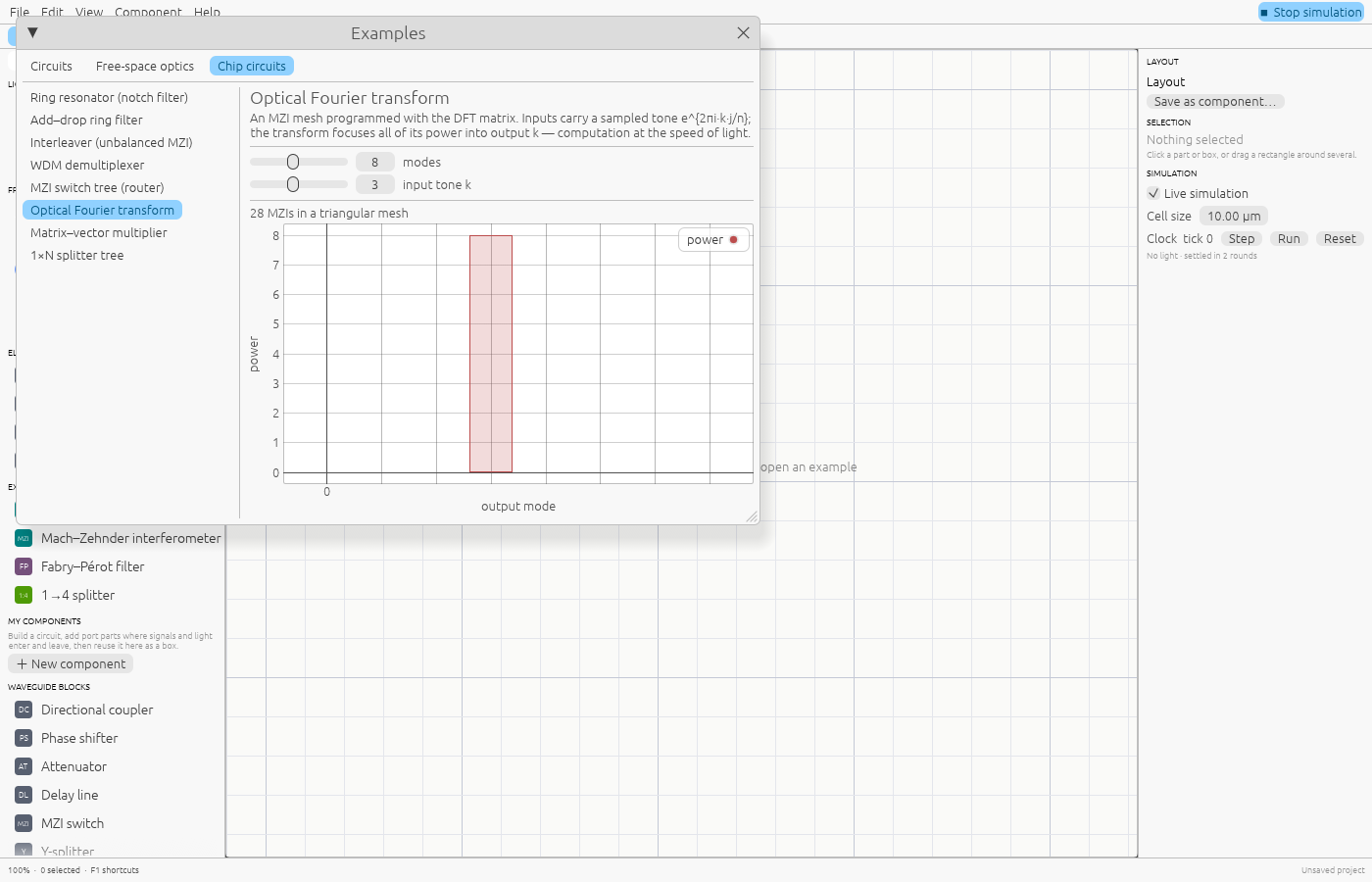
Meshes of Mach–Zehnder interferometers perform linear algebra as light passes through. Shine programs them for you: a Fourier transform, a switch tree, or any matrix through its singular value decomposition.

Open the optical DFT →
The optical Fourier transform chip example: an MZI mesh separating a sampled tone into frequency bins.

Filters and wavelengths

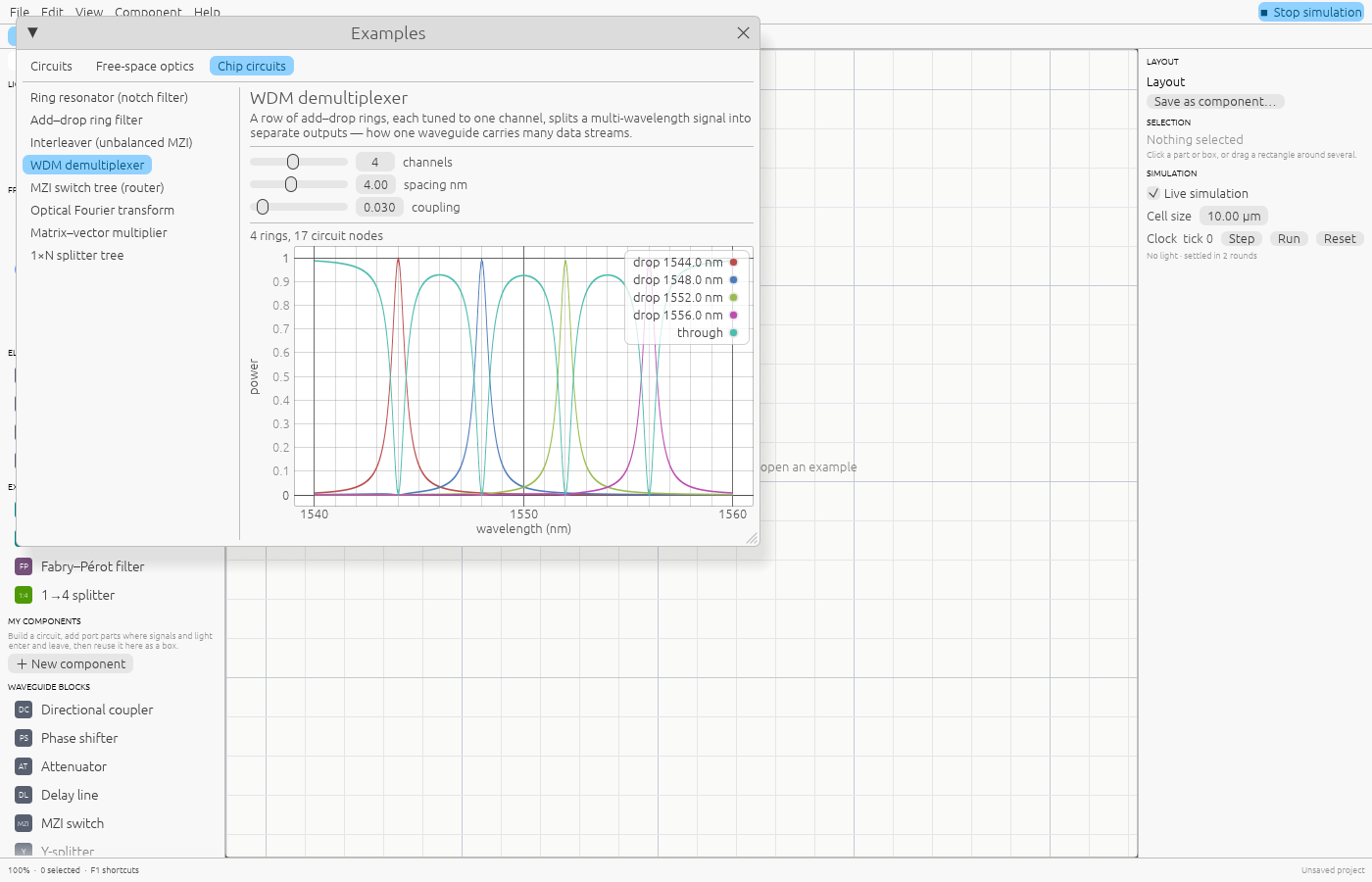
Rings, interleavers and add–drop filters respond to wavelength. Several lasers can share a waveguide, and each colour is solved on its own. Sweep a design to see its spectrum, like this four-channel demultiplexer.

See the WDM spectrum →
Spectrum of a four-channel ring demultiplexer: each drop port peaks at its own wavelength.

Feels like Blender

Navigation and editing follow Blender's conventions, so the keys you already know work. Press F1 in the app for the full list.

  • PanMiddle drag
  • Zoom at cursorWheel / pinch
  • Move, locked to an axisG, then X / Y
  • DuplicateShift D
  • Add menuShift A
  • Open a componentTab
  • Wire it upDrag a port
  • Run / stop simulationSpace
  • UndoCtrl Z

Every control, in the editing guide →